Dante OS
Dante's status bar
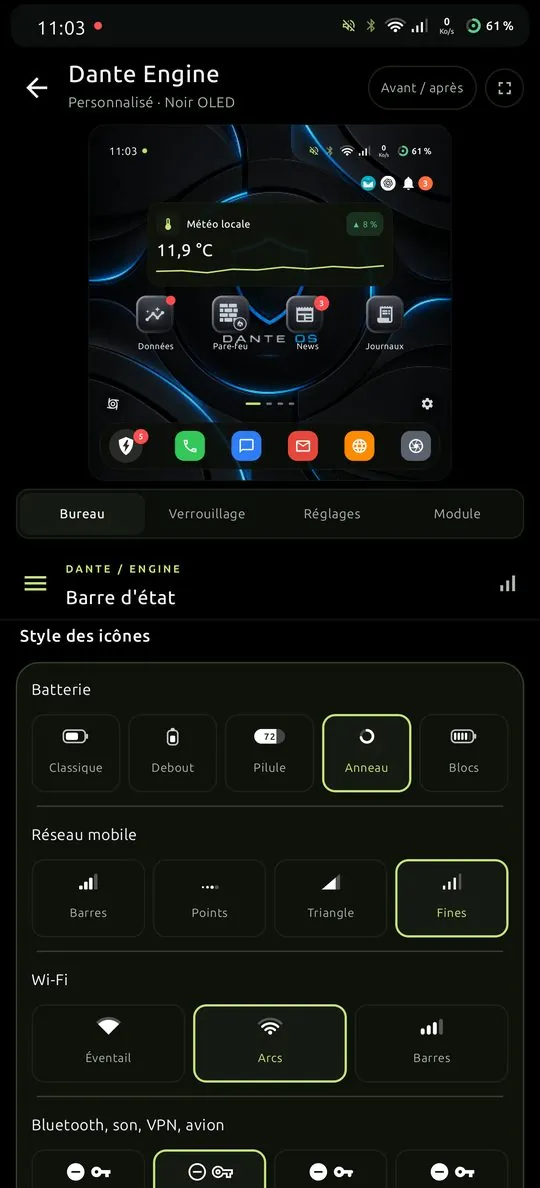
The clock, network, battery and notifications, drawn by Dante.
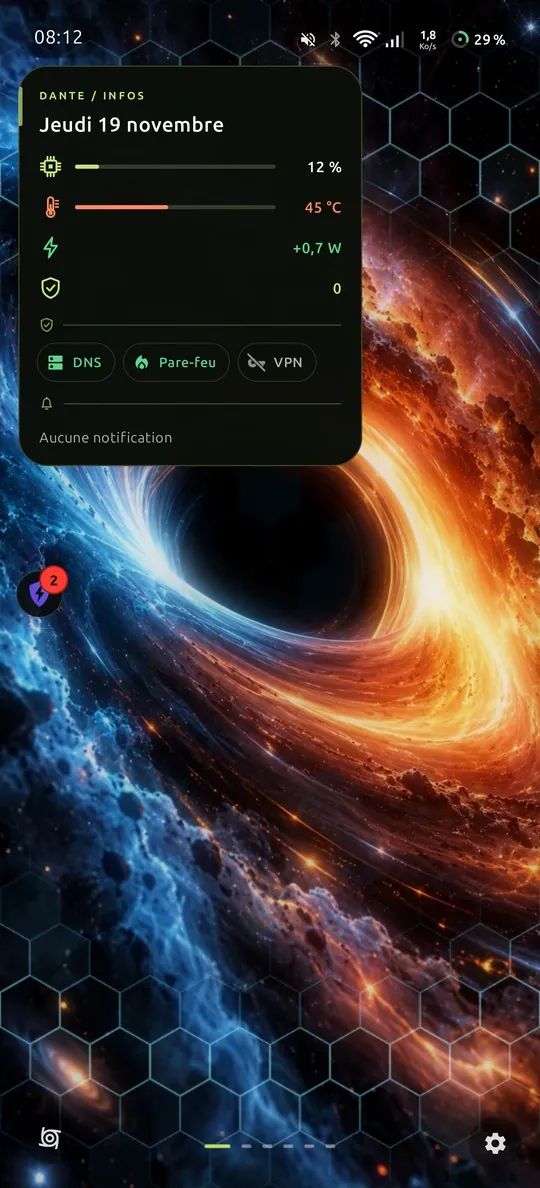
In full screen, Dante draws its own bar: clock, network, battery, VPN and notification badges. A mini banner appears at the top when an app notifies (ongoing notifications do not show it).
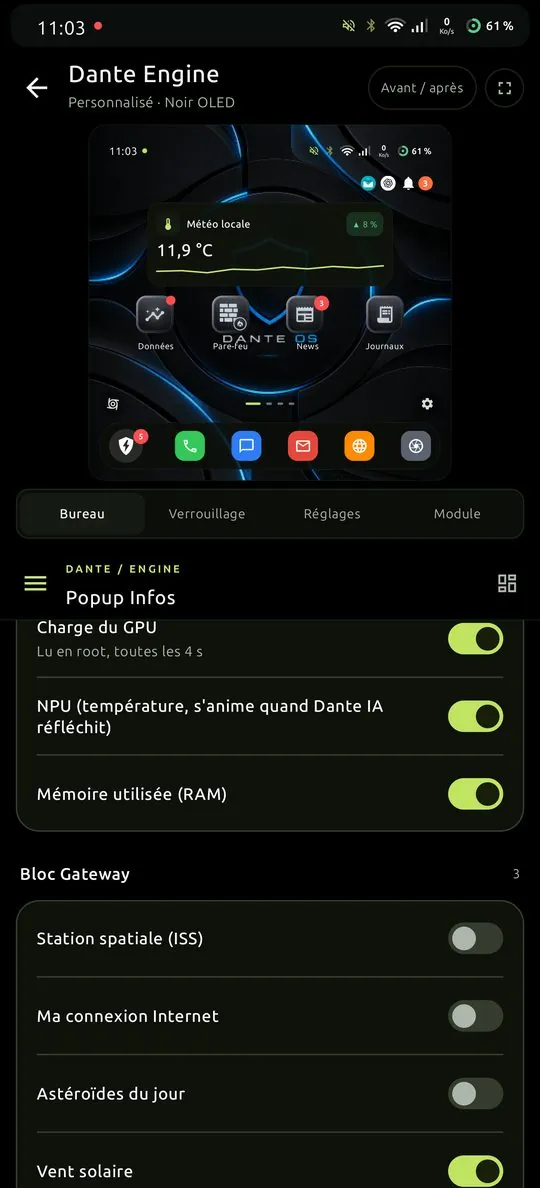
Tap the bar's time: the "Dante / Infos" popup opens. It shows the date, CPU, memory and temperatures, protection (with root), your latest 3 notifications (tap one to open it, "See all" for the panel) and, if you add them, your Gateway sources, RSS feeds and home. Each line opens its module. The blocks, their order, the style and the opening effect are set in Dante Engine ▸ Info popup.
In full mode, Dante disables Android's shade and bar while it is in the foreground so that its own replace them. In launcher-only mode, Android's shade stays available.
Tips
As soon as you leave Dante, Android gets its bar and shade back.
"Dante bar in every app" option (Settings ▸ Dante options): Dante's bar is also shown over other apps, and a swipe down from the top of the screen opens notifications (left) or quick settings (right). It hides in full-screen videos and games, in landscape and on the lock screen. It needs full mode (root) and Dante as the home screen.
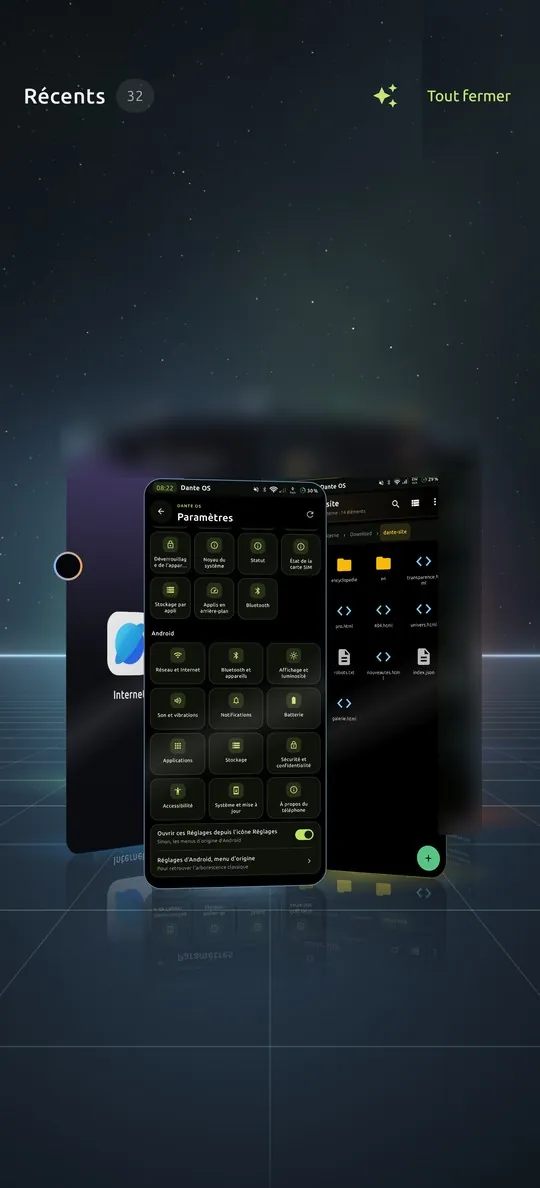
Recents: long-press the bar's time (on the desktop, in a module or over an app) to see your recent apps and modules as big 3D cards, each with its real screenshot (the one Android keeps for its Recents screen; for modules, Dante takes its own). The most recent is in front. Swipe sideways to browse; throw the front card up to close it (it turns into light dust); tap a card to open it; pull down or tap beside the cards to go back; "Close all" empties everything. The ✦ button at the top picks the layout (stack, carousel, fan) and the backdrop (the hall with its floor of light, or the Hive's: galaxy, black hole, tunnel…); tilt the phone, everything is 3D. A protected module never shows a preview. Swiping the bar right goes to the previous app or module, left goes back. "Dante multitasking" option (Settings ▸ Dante options, full mode): Android's "swipe up and hold" gesture opens these cards instead of the system Recents screen, and closing them takes you back to the app you were in.
Dante lock screen (Settings ▸ Dante options): a Dante page placed over Android's lock screen, with the logo, the time, the system status (DNS, firewall, Gateway, feeds, security, Private Node), music, notifications grouped by app, the torch and the camera. Android stays the real lock: swipe up or touch the fingerprint target, and Android asks for your fingerprint, face or code; with the screen off, the fingerprint unlocks directly. Notification text only shows if Android allows it on its own lock screen. The wallpaper can be the desktop one, a separate image, or black.
Dante Engine (Settings ▸ Dante options, or desktop ⚙ button ▸ Customize ▸ Dante Engine): the theme of the whole app, live, in five tabs. Themes: 21 ready-made themes, your saved themes (shared with a code to paste), and "Ask Dante IA" which sets the theme you describe while the stage changes. Colors: the main one (accent: swatches, custom or taken from your wallpaper), the glows (the signature color of the shield and lock screen) and the background (eight dark backgrounds: graphite, OLED black, slate, night, amethyst, burgundy, carbon, forest, plus surface tint). Text: the font, the clock (font, weight, size, color, format, seconds) and the date. Elements: each element of the bar, desktop, dock and lock screen, one by one. Effects: glow strength, animations (full, calm or none), module icons, contrast and status colors readable by colorblind people. Reserved for Dante Pro: without Pro, it is a trial that stops when you leave the screen.
In pictures