Dante OS
The dock: overview
A column of icons on the screen edge (a row at the top or bottom), with a magnifier when you slide over it.
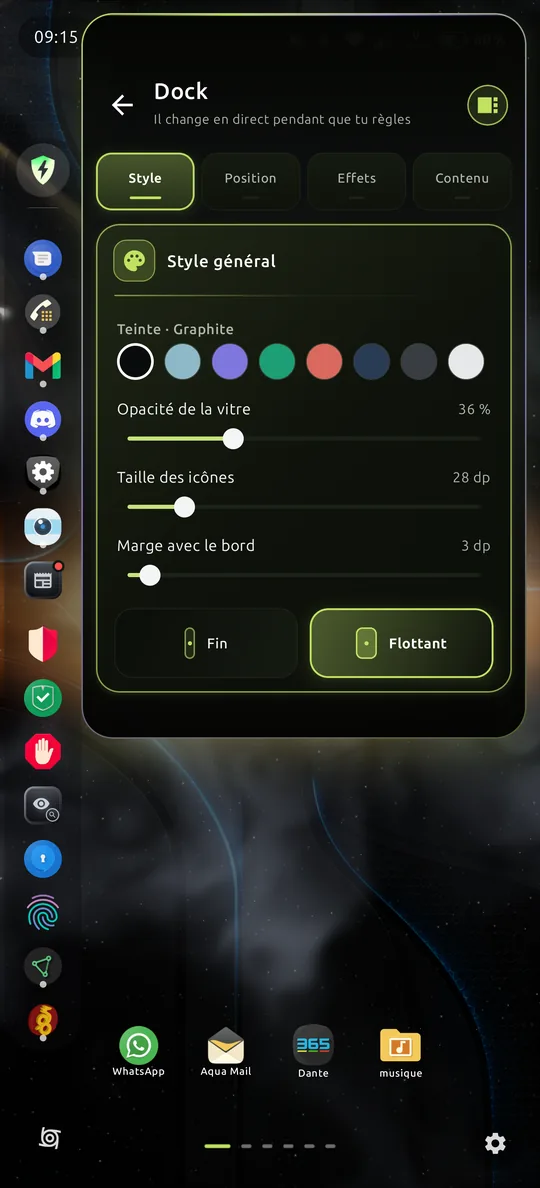
At the top of the dock (or at the bottom, your choice): the shield, which folds the dock with one tap. Below: your sections, each with its title and its icons (apps and modules mixed). All the dock settings are in the desktop ⚙ button → "Customize" → "Dock".
Tap an icon to open it. Slide your finger along the dock: the icon under your finger grows in a floating magnifier that also shows its name, and the magnifier shows the icon actually displayed (a pack's or an image of yours, not the original).
The numbered badges on icons count the app's unread notifications (notification access is needed). In full mode, a small gray dot marks applications running right now.
In pictures