Dante OS
DNS Filter
Block ads, trackers and malicious sites without a VPN.
Before reaching a server, an app asks for its address (a DNS request). The filter answers "this domain does not exist" for ads, trackers and malicious sites: the ad never loads. Other requests are passed on normally to your network's DNS servers (failing that Cloudflare 1.1.1.1, Quad9 9.9.9.9 or Google 8.8.8.8).
With root, the phone's DNS requests are redirected to a small relay inside Dante OS (DANTE_DNS iptables chains): no VPN, so your VPN stays free. IPv6 DNS is sent back to IPv4, which is filtered. If Dante OS stops, a safeguard removes the rules so you are never left without Internet.
Step by step
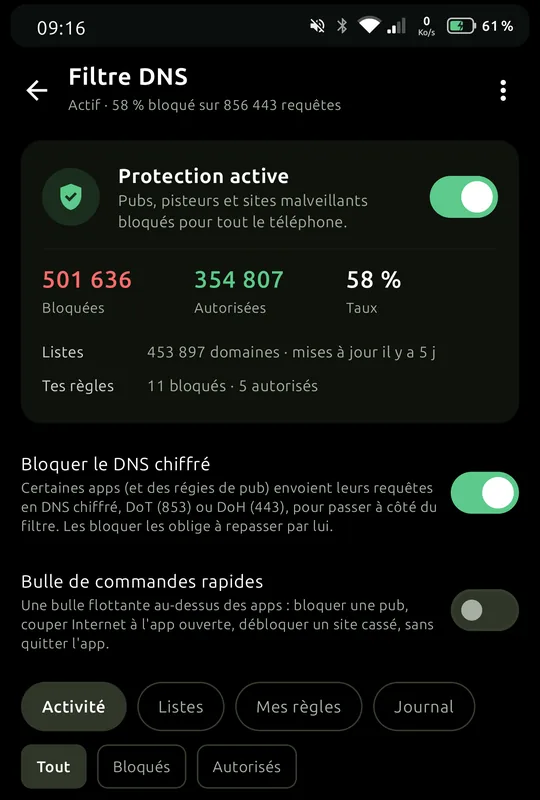
- Open DNS Filter, choose your block lists (more or less strict) and turn the filter on with the switch.
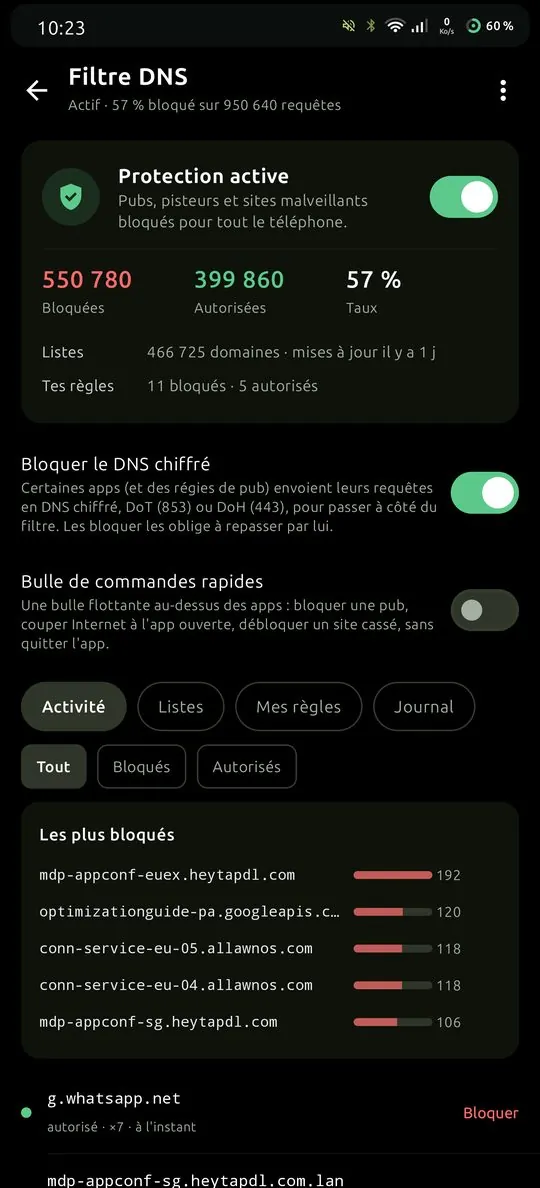
- The Activity tab shows requests live; Lists, My rules and Log complete it. You can add your own domains to block or allow.
- If a site or an app stops working: open Activity (or the bubble, "Unblock a domain"), the domain blocked right at that moment is at the top. "Always allow" lets it through for good, then restart the app (it sometimes keeps the old answer for a few minutes).
Tips
What gets past it: encrypted DNS (turn on "Block encrypted DNS" to force apps back through the filter), browsers' secure DNS (Chrome, Firefox, Brave: turn it off in their settings), Android's private DNS set to a specific server (leave it on "Off" or "Automatic"), and ads served from the same domain as the content (YouTube, Facebook), impossible to separate with DNS.
The quick commands bubble: a floating bubble above apps, which a tap opens and a drag moves. It is used to block an ad, cut Internet for the open app (15 min, 1 h or until further notice), unblock a domain or undo your last action. It is turned on in the module ("Quick commands bubble" switch).
The lists are downloaded from GitHub, AdGuard or oisd (see Transparency → Internet connections).