Dante OS
Dante Turbo
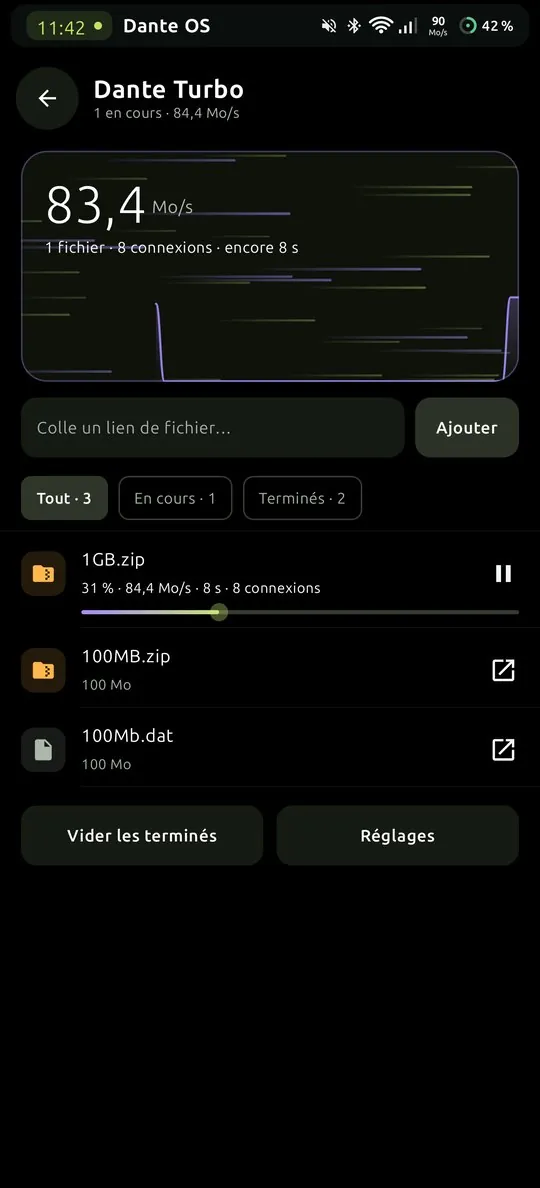
Dante OS's download manager, with accelerator.
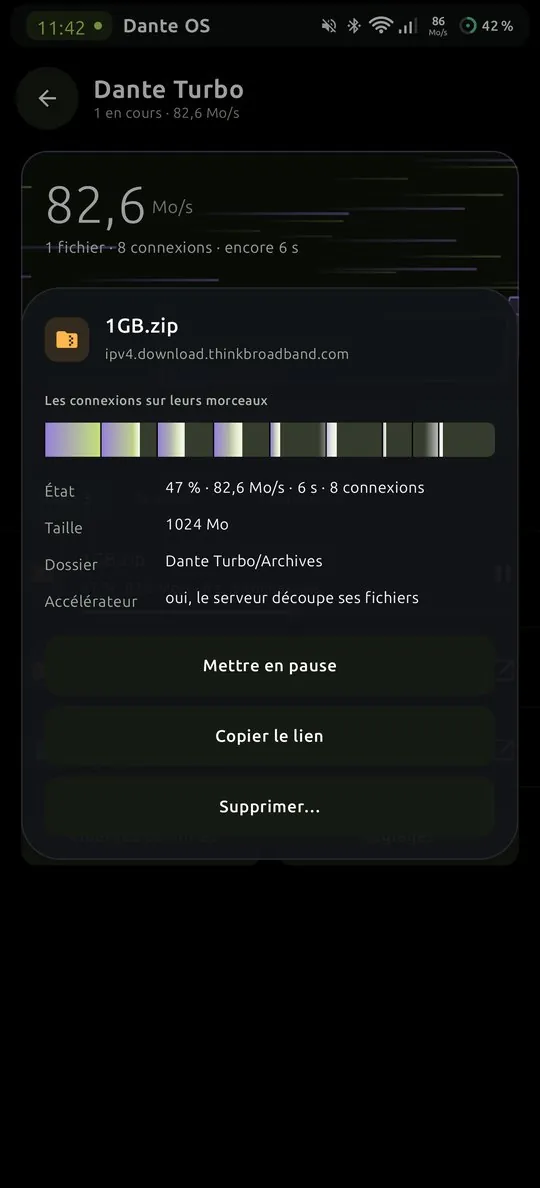
The accelerator: each file is split into parts downloaded at the same time (8 connections by default, up to 16). When a connection finishes its part, it takes half of what's left of the biggest one. Many servers limit speed per connection: that's where Turbo goes several times faster.
Turbo adapts: a server that refuses extra connections sees them step back; a connection silent for 12 seconds is cut and its part taken over; a server that doesn't split its files is downloaded with one connection.
Everything resumes where it stopped: network dropout, Dante closed, phone restart. If the file changed on the server meanwhile, Turbo starts over cleanly.
To send a link: Share ▸ Dante Turbo from any app, paste it in Turbo, accept the copied link it suggests, or tap it in Firefox with the "Dante Turbo for Firefox" extension. A window always asks for confirmation: a web page can't download anything by itself.
Files land in Downloads ▸ Dante Turbo, sorted by type (Videos, Music, Apps, Archives, Documents…), and show up in Files and the gallery.
Tips
Turbo settings: connections per file, files at once, speed limit, Wi-Fi only.
A link that needs you to be logged in on the site (or a confirmation page) gives a web page: Turbo says so instead of downloading the page.