Dante OS
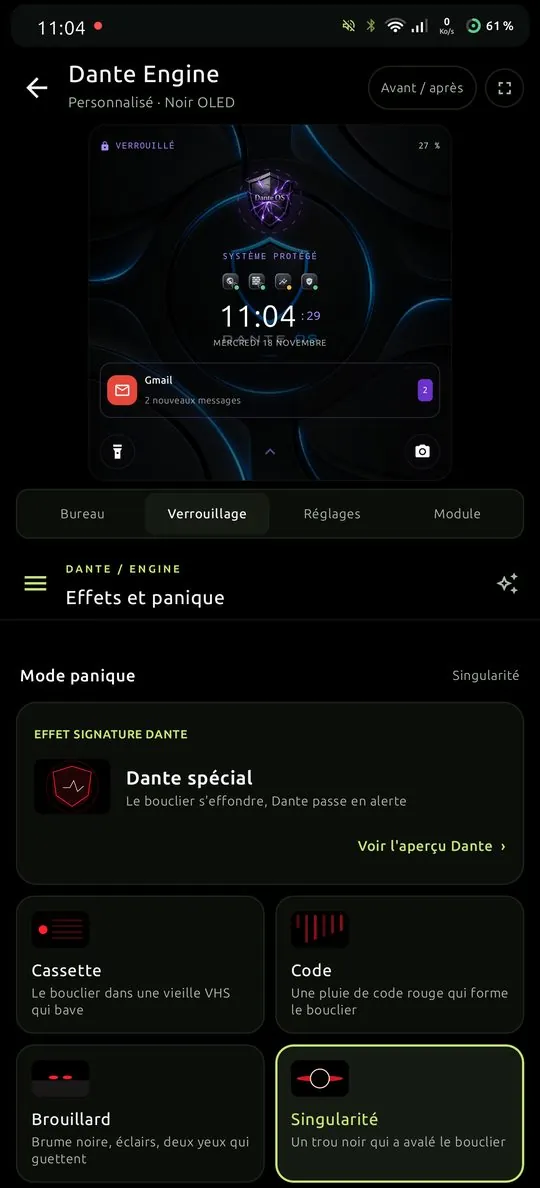
Panic mode
Someone grabs your phone? One tap and the desktop vanishes; only your fingerprint brings it back.
For real moments: someone gets hold of your phone, or looks over your shoulder.
Tap the panic button at the bottom left of the desktop. No confirmation, so you don't lose a second: an effect swallows the screen, apps and background, and only the void remains. Your fingerprint (or code) puts everything back.
It holds: after a restart, Dante comes back hidden. The home button leads back to the void, and incoming calls still show normally.
With root, Android's notification shade and Recents are cut off too, so nobody can slip into another app. Everything comes back on unlock: the phone is never locked up.
Intruder photo (off at first, turn it on in Security): on the 10th touch on the empty screen, the front camera takes a photo, and the screen says so. It is encrypted with a key of the phone, never leaves it, and is viewed in Security ▸ Intruders, after your fingerprint. When you come back, a bubble tells you if someone tried to get in.
Eleven effect styles, picked in Dante Engine ▸ Panic mode, with a preview.
In pictures