Dante OS
Settings
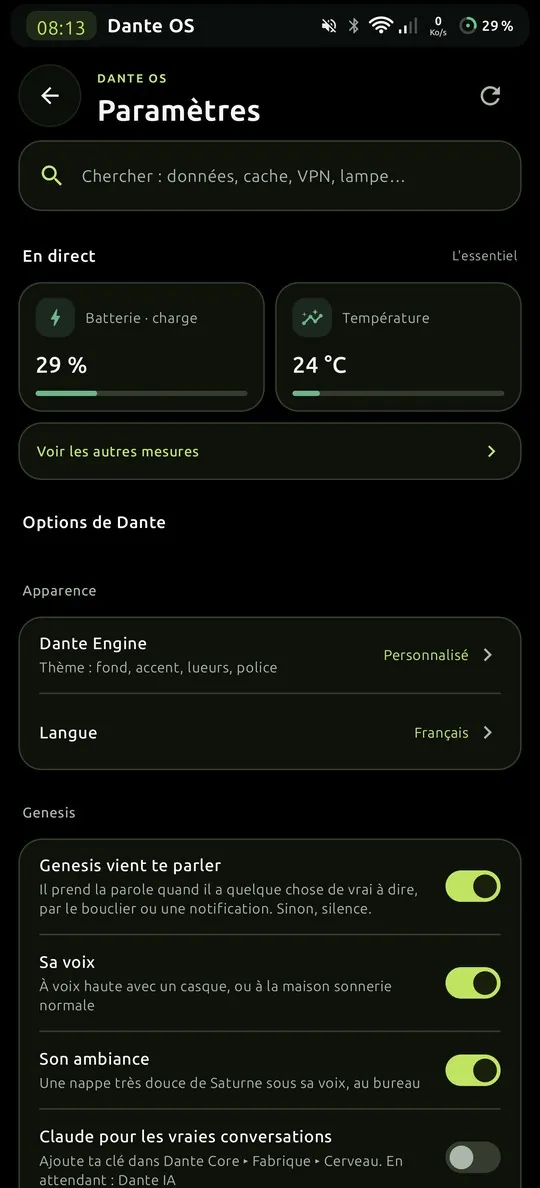
The Dante OS dashboard: live measures, modules, options, and every Android setting sorted into families, with search.
A dashboard instead of a long list. At the top, "Live": battery, temperature, memory, storage, network, uptime and IP addresses. A tap opens the matching module.
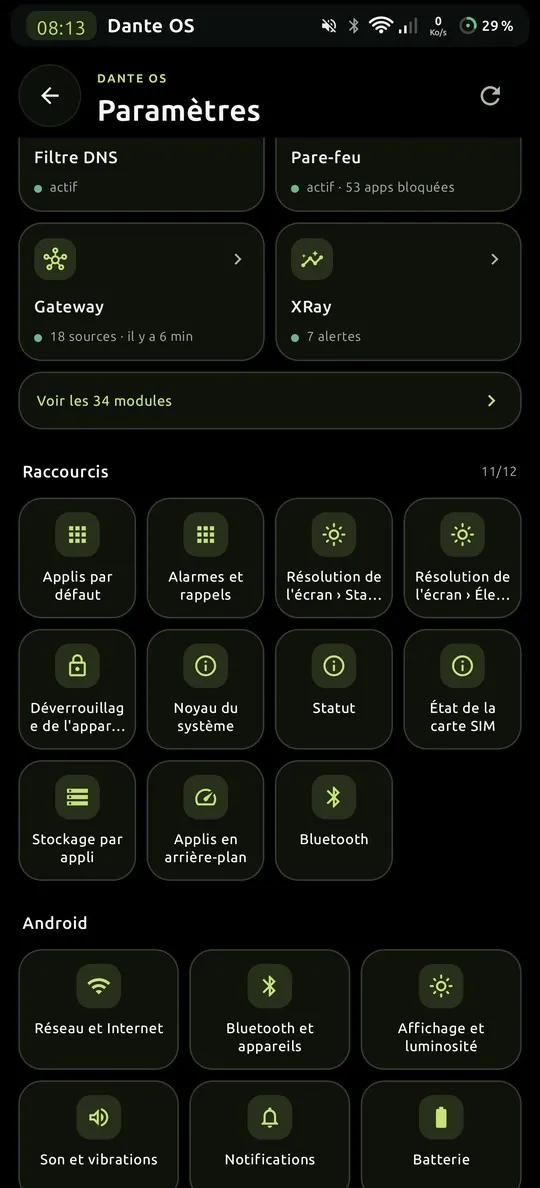
"Dante OS": one tile per module (DNS filter, firewall, Gateway, XRay, security, Private Node, governor, battery root) with its current state. "All modules" opens the full list.
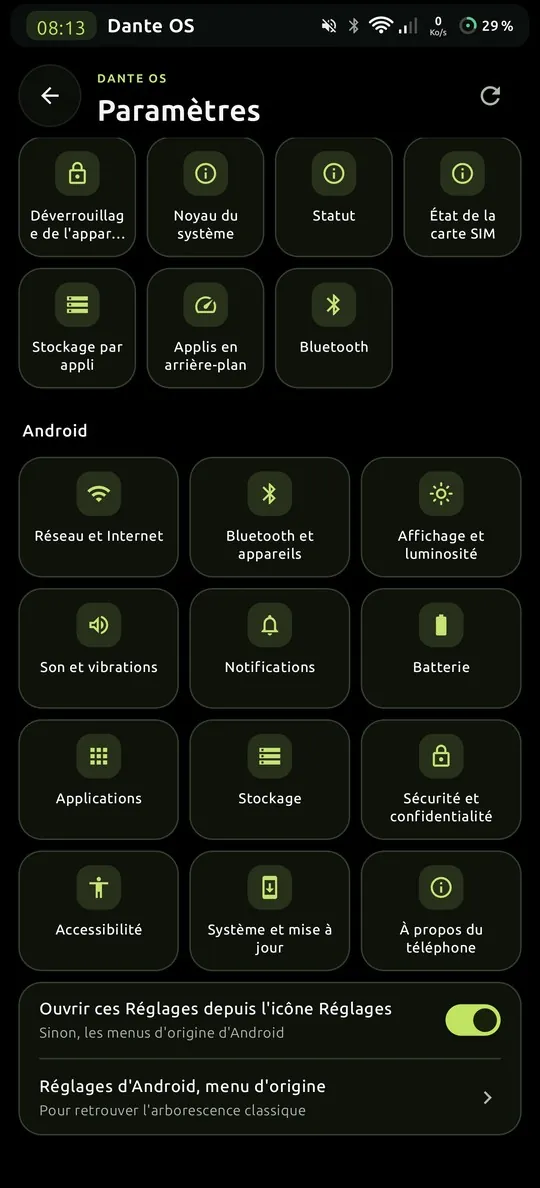
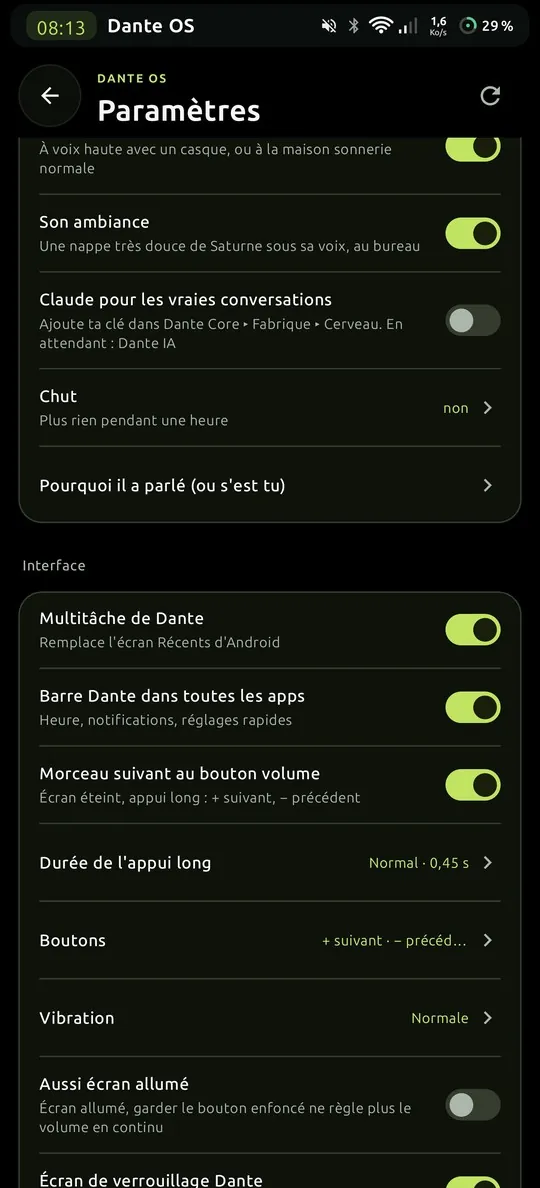
"Dante options": Dante's own switches (multitasking, bar in every app, watch, fingerprint lock) and the language. "Android" sorts Android's settings into twelve families: a family opens its settings flat, without stacked menus.
The search at the top finds everything: Android settings ("vibration", "VPN", "battery"), Dante shortcuts and modules. The star pins a setting as a favorite; favorites are the chips under "Android".
Step by step
- Open Settings from the module drawer (or the Settings icon).
- Tap a tile: a Dante module, or an Android family.
- Or type what you're looking for at the top, then tap the setting: its page opens.
Tips
What it reads: the Settings app's search index (read-only, with root) and your modules' state, on the phone. What it changes: nothing, except the switches you tap. What it sends: nothing.
Without root, the families open Android's official pages (Wi-Fi, display, battery…).
The ↻ button re-reads the index, useful after a system update.
The public IP address is only read if you tap "Show": a single call to api.ipify.org, nothing is sent before.
In pictures